Every modification to software comes with the potential for production problems. Application failures often have serious consequences which can result in a loss of revenue and a poor customer experience. Additionally, organizations constantly try to improve their services for a better customer experience. How can you minimize the chance of error and update your application with confidence?
There are various ways to minimize the chance of error. It starts with development which can be by code reviews, test-driven development, or CI system tests. But there are certain problems that do not become visible, unless exposed to production traffic. In this blog, we will explore how Canary deployments allow us to test the waters before fully committing a build to production.
What is Canary Deployment?
Canary deployments allow us to see how applications react under production load.
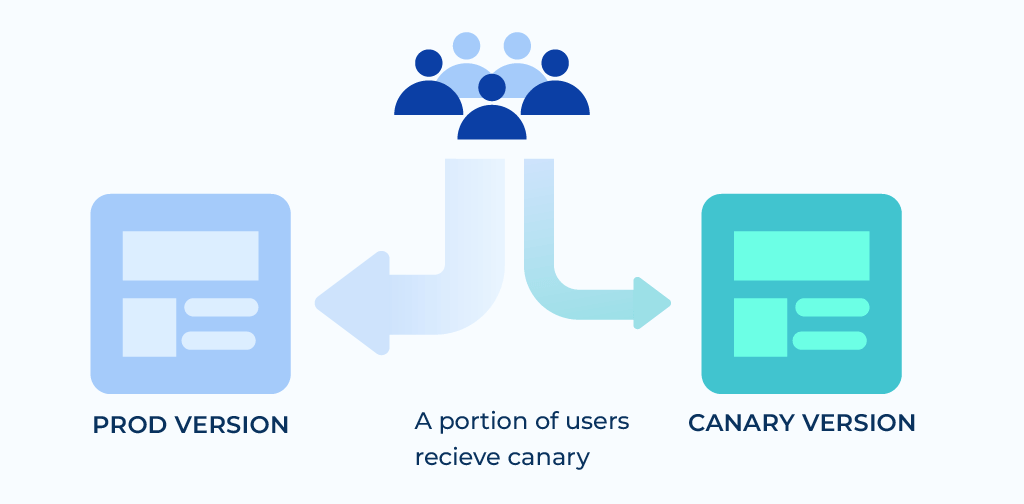
Canary deployment is a deployment approach that slowly delivers an application or service to a subset of consumers, so organizations can monitor the application under use and make modifications based on observations.
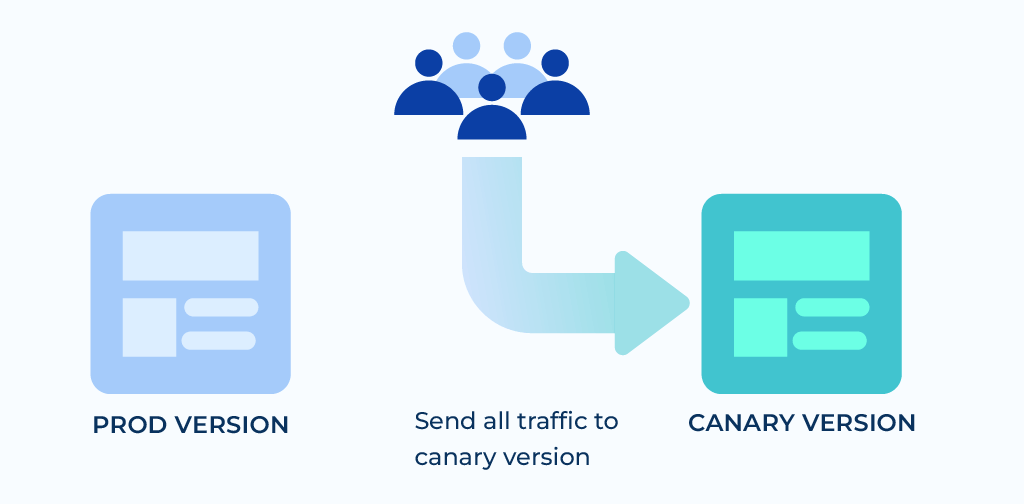
Once the change is accepted, the update is rolled out to the rest of the users. Because of this control, a canary release is the least risky of all deployment options.
Deploying Canary Versions
Canary deployments require you to run two versions of the application simultaneously. The old version is labeled “stable” and the newer one “canary.” There are two ways to deploy the update: Rolling deployments and Side-by-side deployments.
Rolling Deployments
You install the changes in stages, mostly a few machines at a time. The other machines operate on a stable version. This is a more common and simple implementation of canary deployment.
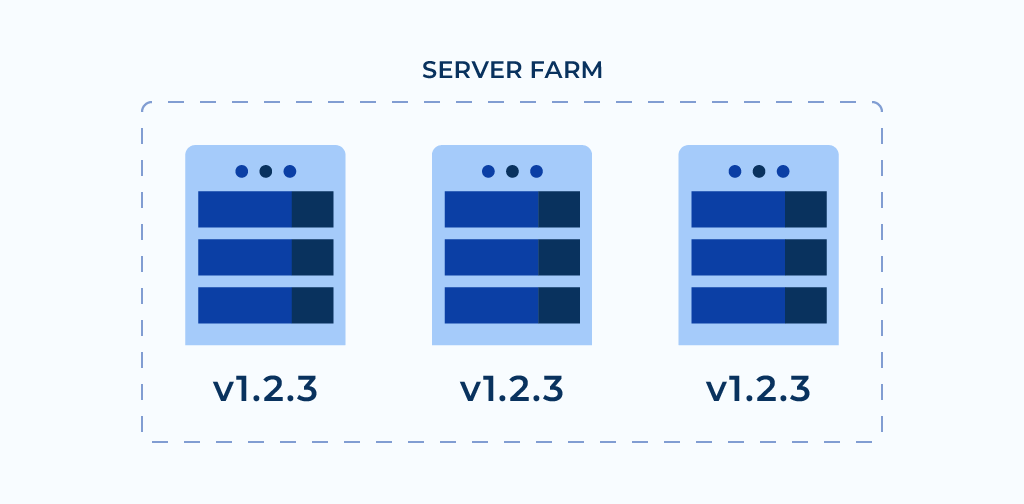
When the canary version starts running on one server, a few users will notice the updates.
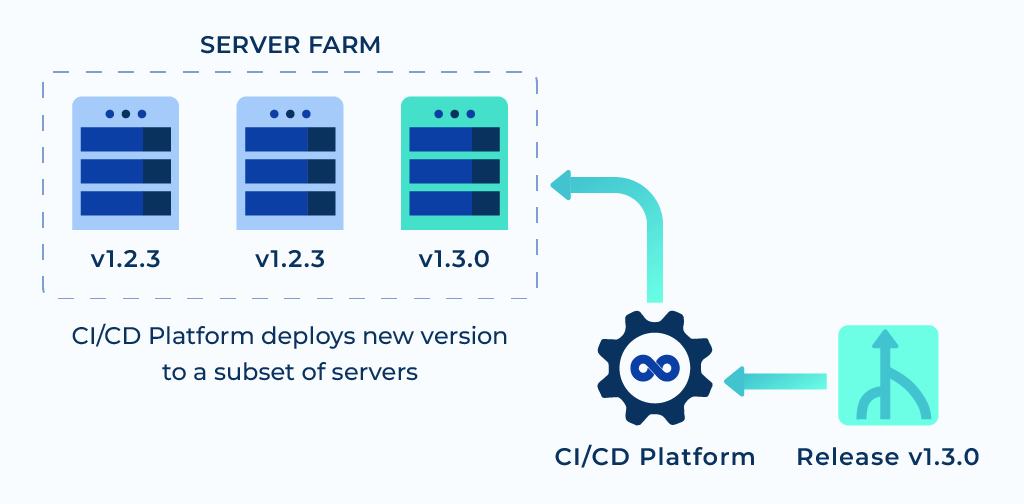
During this time you can observe upgraded machines, check for errors, performance problems, and listen to user feedback.
With growing confidence in the canary version, it is installed on more machines, until they are all running the latest release.
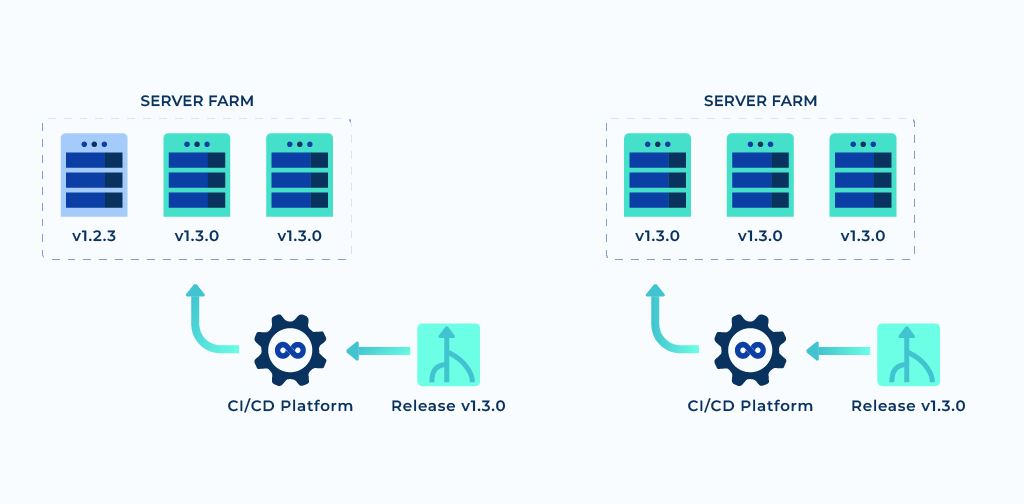
Once you detect a failure or get dissatisfactory results, you can undo the change by rolling back the upgraded servers to their initial state.
- Seamlessly integrate On-Call Management, Incident Response and SRE Workflows for efficient operations.
- Automate Incident Response, minimize downtime and enhance your tech teams’ productivity with our Unified Platform.
- Manage incidents anytime, anywhere with our native iOS and Android mobile apps.

Side-by-Side Deployments
In this method, instead of upgrading machines in stages, a canary version is installed in a whole new duplicate environment.
Consider an application that runs on multiple machines, with a few services and a database.
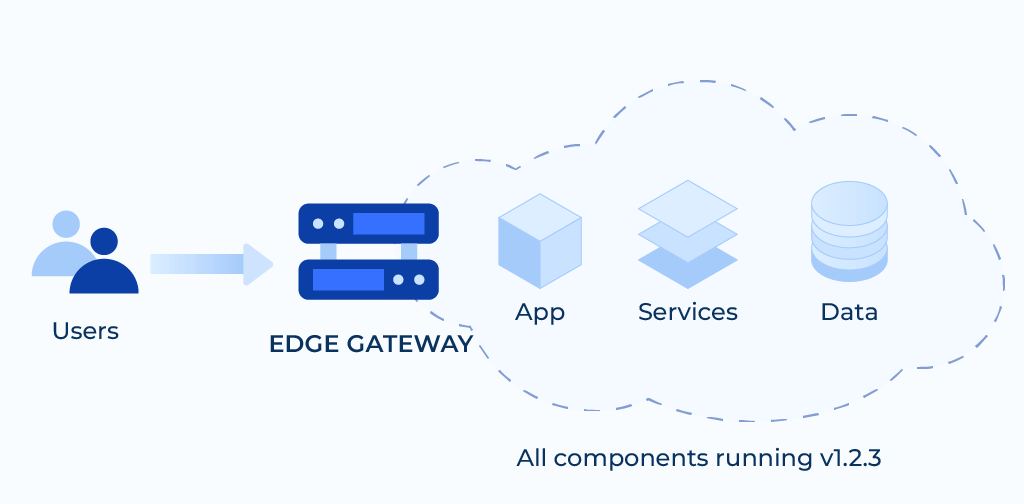
To deploy your canary version, the hardware resources are cloned. As soon as the canary version starts running in the new environment, it is released for a portion of the user base. This is made possible by using a router, a load balancer, a reverse proxy, or some other business logic in the application.
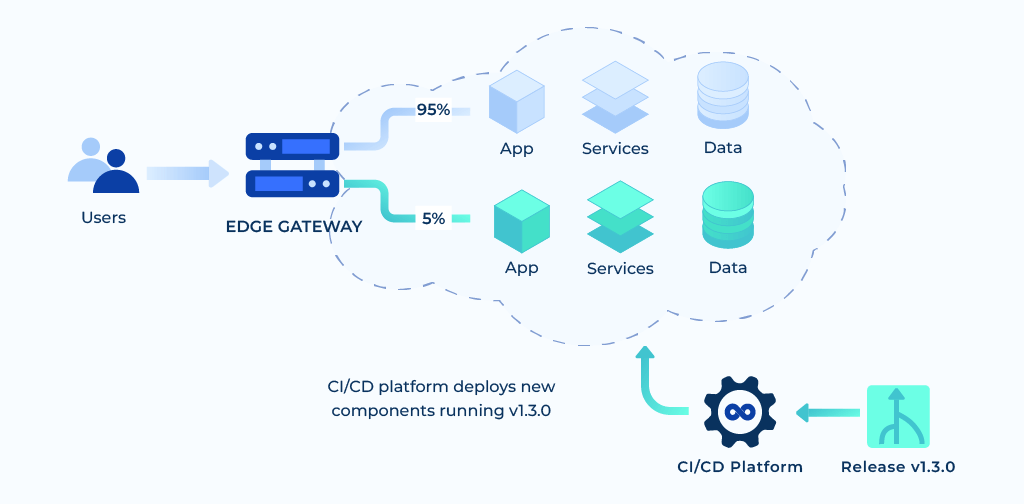
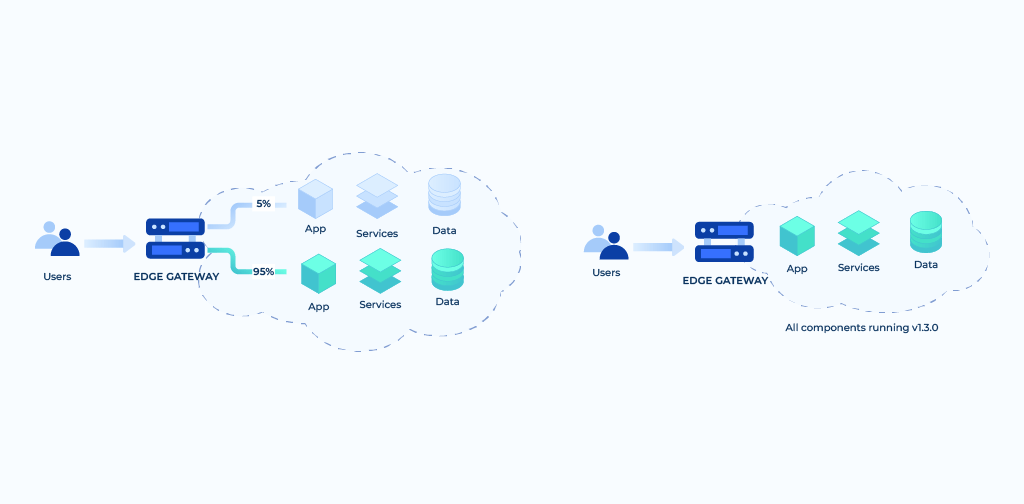
Here too, you can monitor the canary version and gradually migrate more and more users away from the control version. You will continue the process until you detect a problem or all users are on the canary.
On completion, we remove the control environment to free up resources. The canary version is now the new stable.
Advantages of Canary Deployment
- Service Evaluation: You can evaluate multiple service versions side by side using canary deployments in real-world environments with actual users and use cases.
- Cost effective: Because two production environments are not required, it is less expensive than a blue-green deployment.
- Testing: Canary deployment can be used for A/B testing as it offers two alternatives to the users and selects one with better reception.
- In-built Capacity Test: Normally, it is difficult to test the capacity of a large production environment. Canary deployments offer in-built capacity tests.
- Feedback: With the release being made for targeted or a sample number of users, you receive invaluable input from real users and modify canary versions for improvements.
- No cold-starts: Unlike new systems that take a while to start, Canary deployments build up momentum to prevent slowness of cold-start.
- Zero downtime: Just like blue-green deployments, a canary deployment does not cause downtime.
- Simple Rollback Mechanism: You can always easily roll back to the previous version.
Disadvantages of canary deployments
- Script Testing: Canary release scripting is challenging, since human verification and testing can take a significant amount of time, and the monitoring and instrumentation that is required for production testing may call for further research.
- Complexity: Canary deployments share the same complexities as blue-green deployments like many production machines, user migrations, and system monitoring
- Time: It takes time to set up a healthy canary deployment pipeline. However, once done right, you can do more frequent and safer deployments.
- Deployment at an enterprise scale: An enterprise Canary deployment is difficult to accomplish in an environment where the software is loaded on personal devices. Setting up an auto-update environment for end users may be one method to get around this.
Conclusion
Canary deployment is a popular method because it reduces the risk of introducing changes into production, while also lowering the amount of new infrastructure that is required. Companies that utilize canary deployments can test new releases in live production environments without exposing all of their users to the most recent version of the software at the same time.