Critical information during Incident Management includes the incident’s nature, impact, urgency, affected systems, and current status, enabling efficient resolution. Yet, the excessive details in incident notifications frequently hinders rather than aiding the process.
After hours work poses significant challenges and risks, particularly in managing on-call responsibilities. The potential for burnout and alert fatigue due to excessive after-hours duties highlights the importance of having effective policies and scheduling to ensure developers are adequately prepared and supported in their roles.
What is On-Call Management?
On-call management refers to the strategic process of ensuring that employees are available to respond to incidents or issues outside of normal business hours. This practice is essential for IT teams, developers, support teams, and other departments that require 24/7 coverage to maintain service quality and minimize downtime. Effective on-call management involves creating detailed schedules, assigning specific responsibilities, and establishing clear escalation policies. These measures ensure that incidents are addressed promptly and efficiently, thereby enhancing customer satisfaction and maintaining operational stability. By implementing robust on-call management practices, organizations can distribute on-call responsibilities evenly, reducing the burden on individual team members and fostering a more balanced work environment.
The Problem
Imagine during a very critical incident, you receive notification through Slack or SMS, only to realize that the notification does not contain any relevant information. This critical lack of context leaves you scrambling for additional details, wasting valuable time and potentially exacerbating the incident’s impact. What can an easy solution to this be?
A structured call schedule can help ensure that notifications are sent to the right person, thereby reducing confusion and improving response times.
Solution: Tailored Notifications With Custom Content Templates
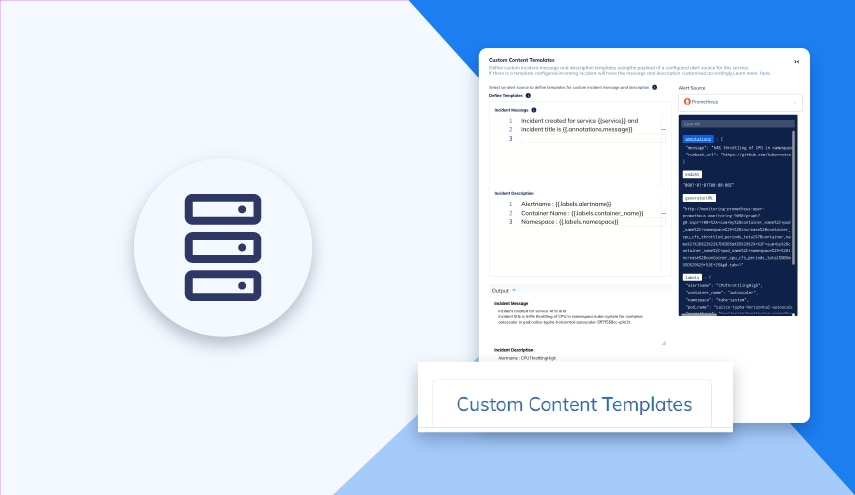
SolarWinds Incident Response’s Custom Content Templates provide the remedy for these issues. It helps organizations craft incident messages and descriptions, ensuring that only the most crucial details are included. Call scheduling can optimize on-call rotations and ensure efficient workload distribution, maintaining 24×7 coverage and minimizing disruptions to end customers. Let’s check how this functionality works.
- Access the Services tab, select the service you want to add a template for and navigate to Custom Content Templates.
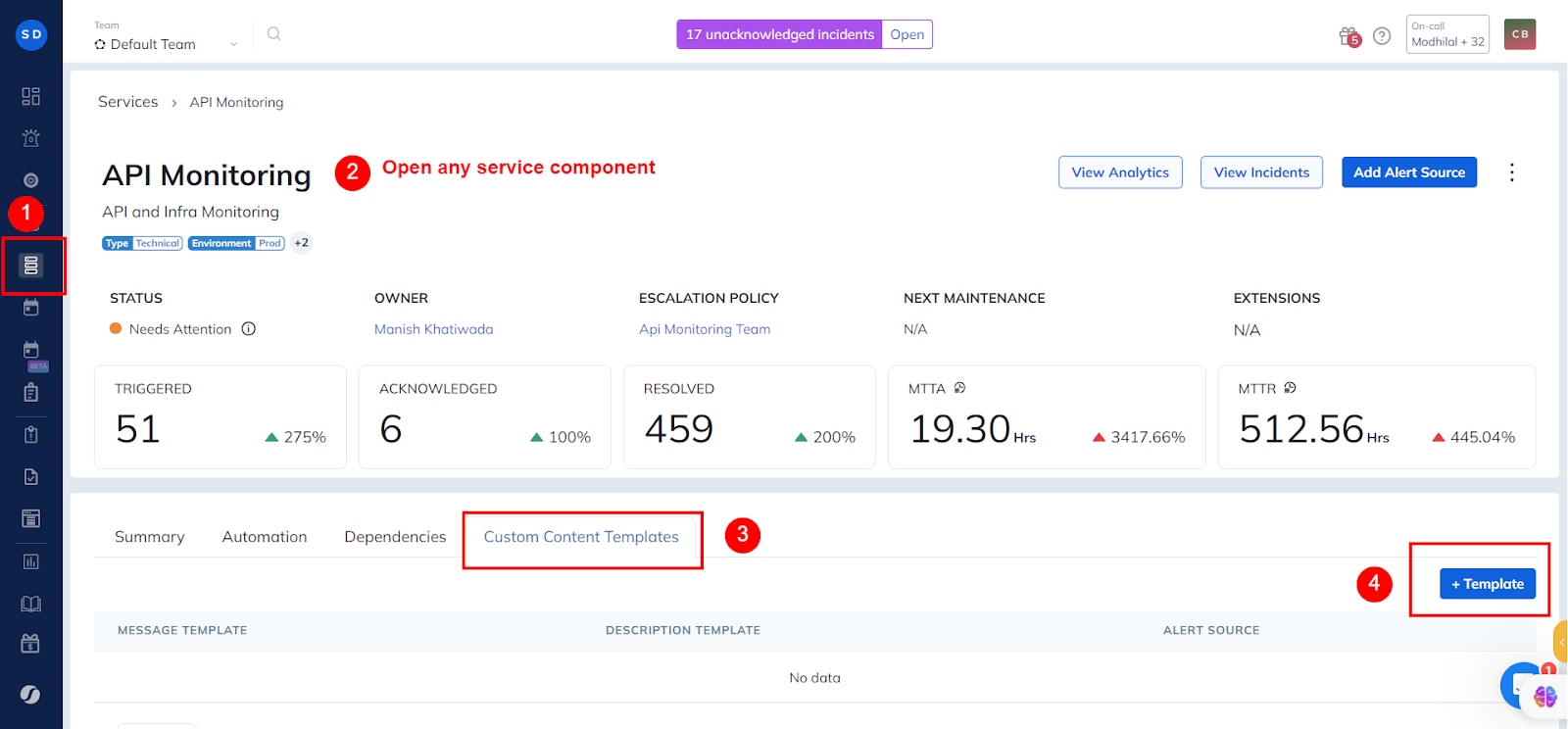
- Add a new template for a specific service, example, New Relic.
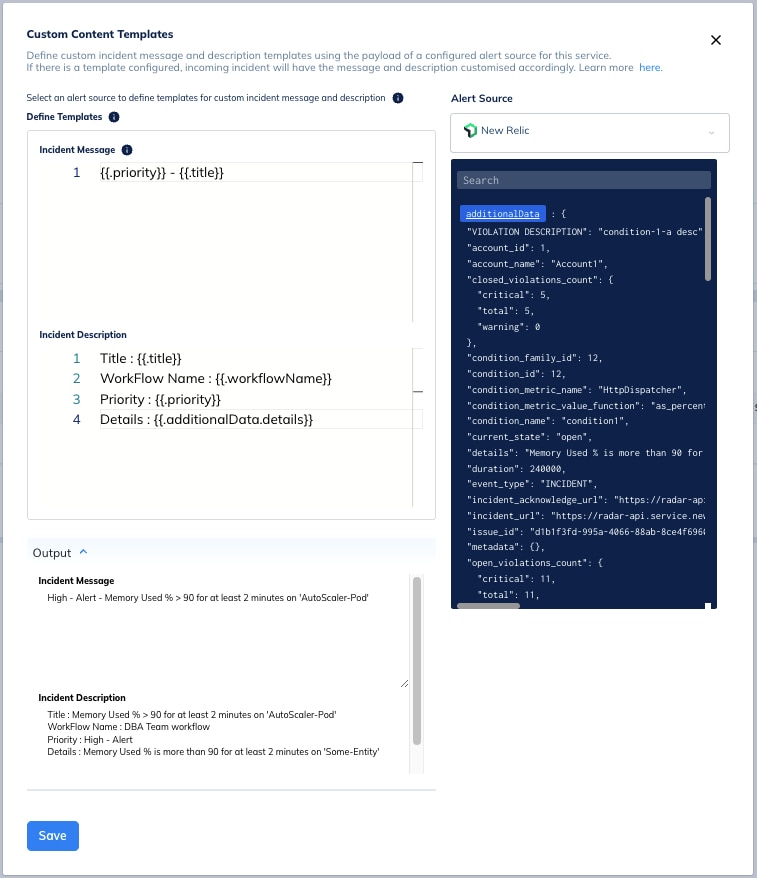
- Choose the information you want to include in the incident message, such as service namepriority, and title.
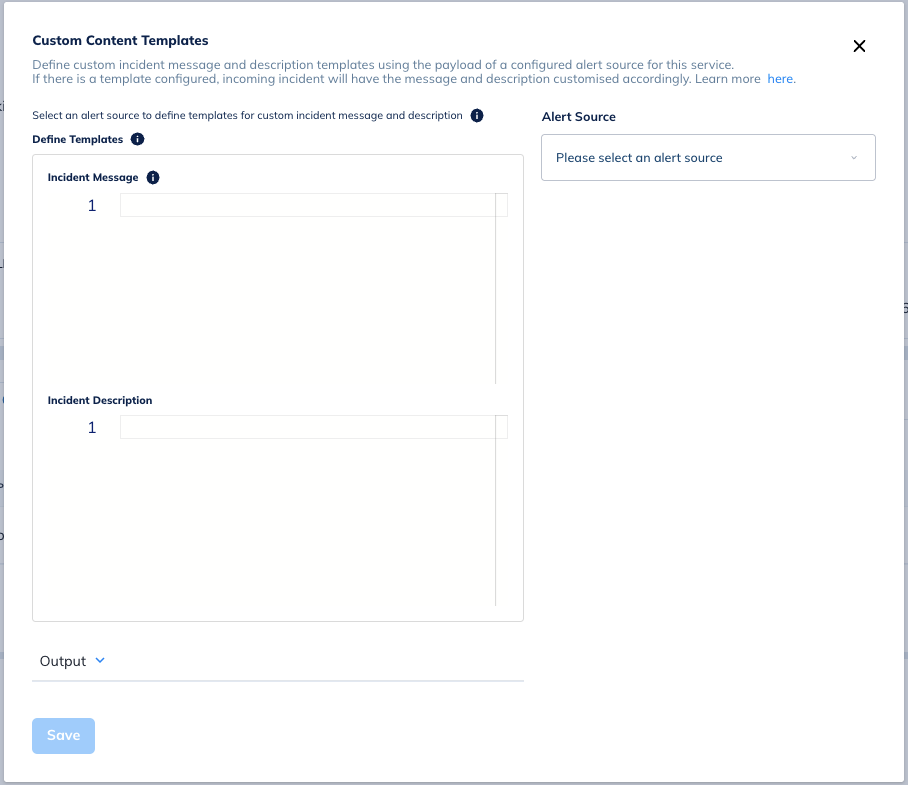
- Craft the description to provide context without overwhelming the recipient.
- Tailor notifications for various channels like SMS, phone calls, MS Teams, Slack, and more.
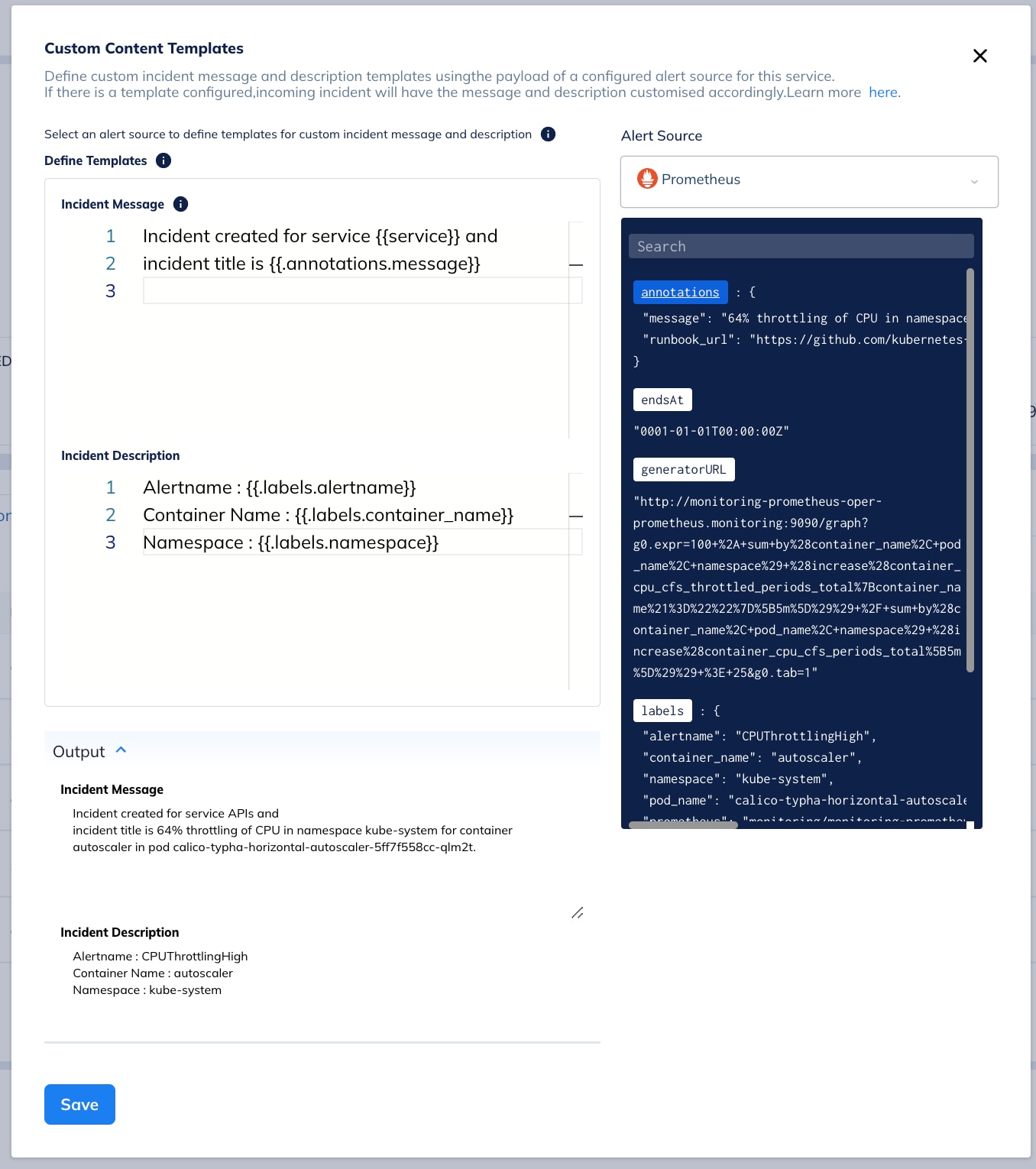
An illustrative example that demonstrates how to define a template for an Incident Message and Description.
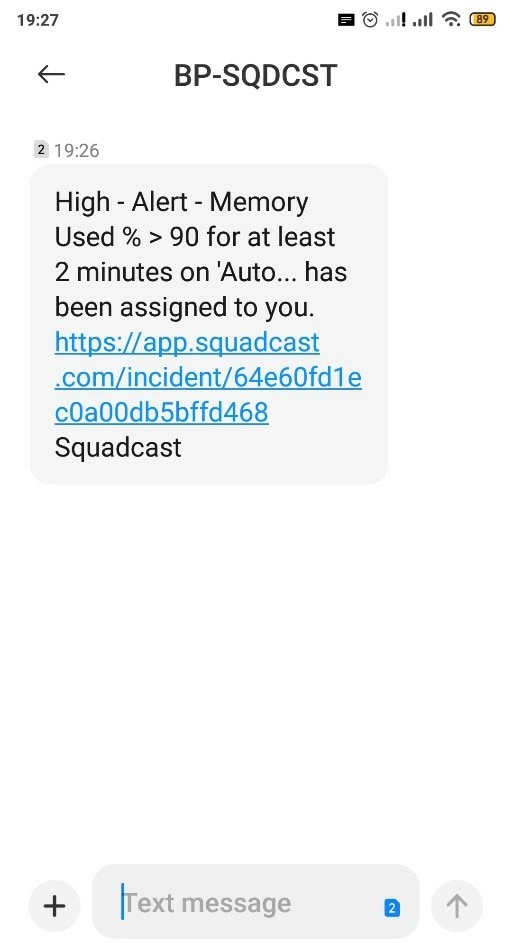
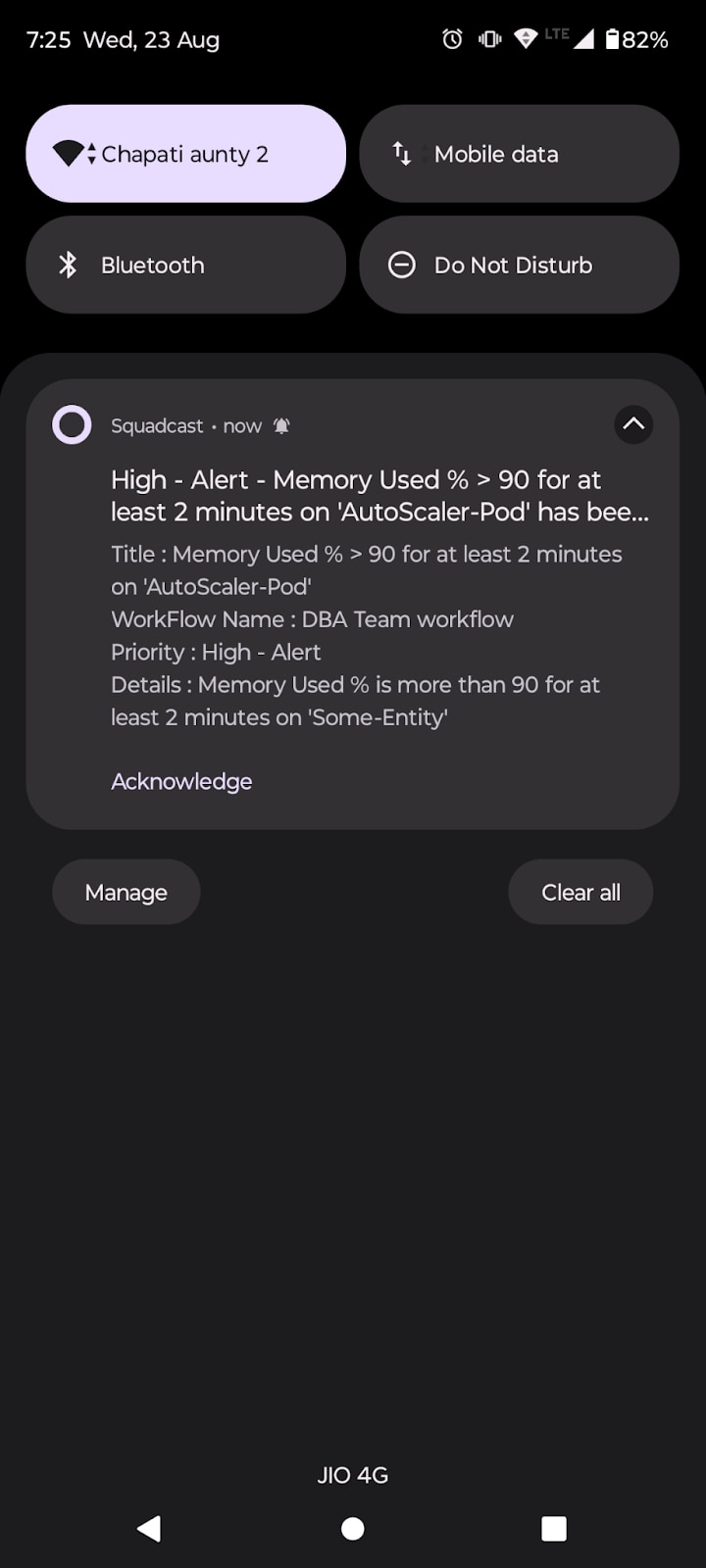
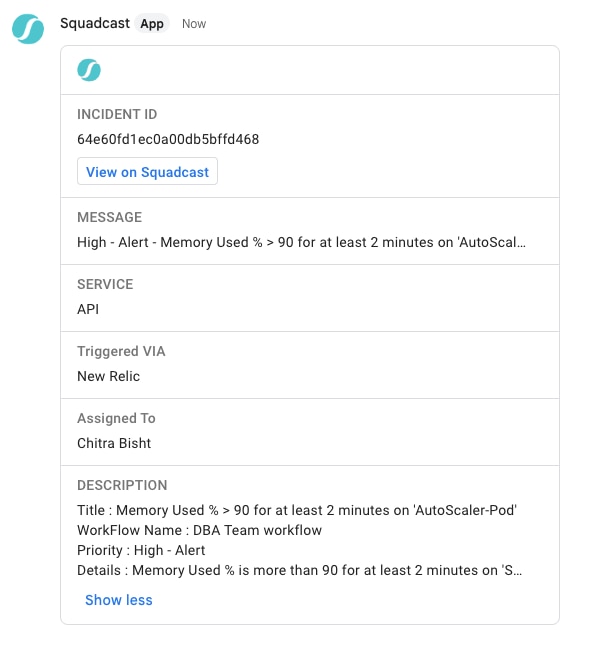
Here’s how a typical message from different mediums would look like:
SMS
Push Notifications
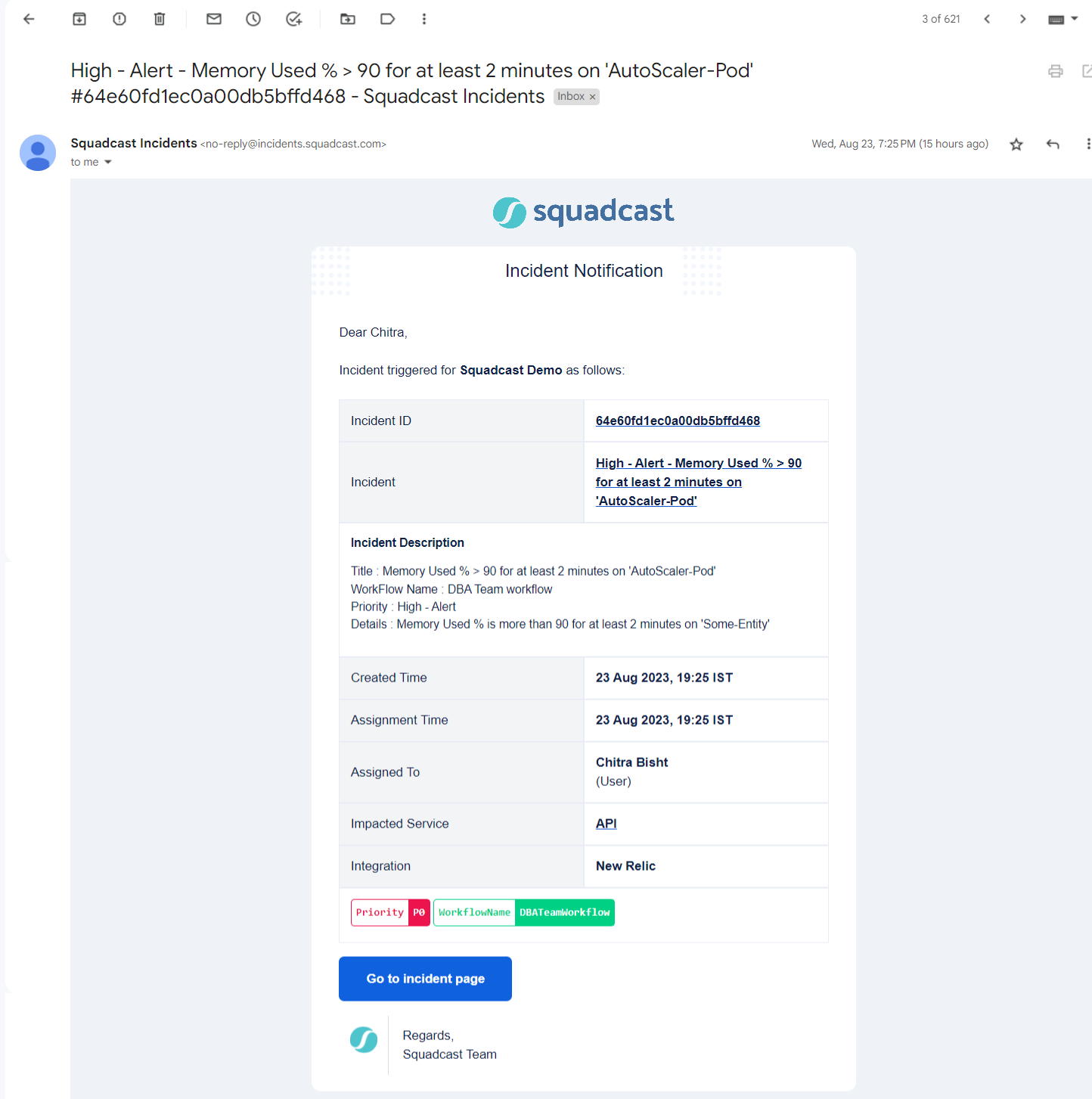
Slack
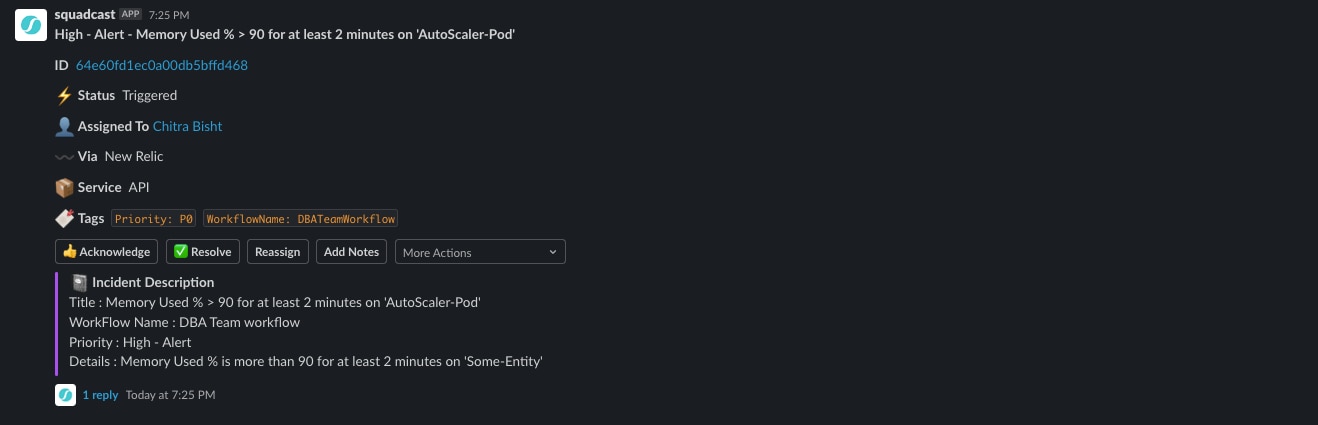
- Seamlessly integrate On-Call Management, Incident Response and SRE Workflows for efficient operations.
- Automate Incident Response, minimize downtime and enhance your tech teams’ productivity with our Unified Platform.
- Manage incidents anytime, anywhere with our native iOS and Android mobile apps.
MS Teams
On-Call Escalation Policies
On-call escalation policies are a cornerstone of effective on-call management. These policies outline the procedures for escalating incidents to secondary responders, managers, or other teams when the primary on-call engineer is unavailable or unable to respond. Customizable to fit the unique needs of an organization, escalation policies consider factors such as the type of incident, the time of day, and the severity of the issue. By having well-defined escalation policies, organizations can ensure that incidents are managed swiftly and efficiently, even when the primary on-call engineer is not available. This structured approach to call management helps maintain service continuity and reduces the risk of prolonged downtime.
Common Use Cases for On Call Scheduling
- Optimize Slack Messages: Tailor your Slack messages to display only the essential incident details, streamlining communication for better focus.
Managing and reminding about on-call shifts through specific apps and features is crucial. These tools provide reminders and customizable schedules to ensure proper coverage and minimize the possibility of forgetting these critical shifts.
- Personalize SMS Notifications: Customize SMS notifications by adding specific details or shortening descriptions, ensuring concise yet informative text messages.
- Flexible Email Notifications: Enjoy full customization in email notifications, providing a comprehensive overview of the incident without character limitations.
- Craft Insightful Push Notifications: Create push notifications with relevant incident details, allowing for quick insights into the nature of the alert and necessary actions.
- Adapt Phone Call Notifications: Personalize phone call notifications, reciting incident messages and descriptions, offering a handsfree way for engineers to stay informed.
- Customize MS Teams & ChatOps Alerts: Tailor notifications for MS Teams and ChatOps, utilizing payload information for pertinent details.
- Receive Quick Overview for Rapid Response: Get customized notifications that precisely convey the nature of the alert, aiding engineers in prioritizing and responding promptly.
- Integrate Payload Information: Seamlessly integrate information from the payload of monitoring tools, ensuring the customized template aligns with the specific needs of your team.
- Reduced Dependence on Incident Details: Gain high level overviews through customized notifications, reducing the need to access the incident details and enhancing the ability to address alerts efficiently.
Benefits & Impact on On-Call Engineers: Prioritized and Informed Response to Critical Alerts
The advantages of custom content templates are far-reaching and transformative for On-Call engineers:
- Meaningful Information: Engineers can receive notifications that are concise and tailored to their responsibilities, allowing them to quickly assess the situation’s severity and prioritize their response.
- Faster Incident Resolution: With a high-level overview available right in the notification, engineers can often discern the nature of the incident and necessary actions without delving into the incident details.
- Reduced Noise: By eliminating extraneous details, the notifications become more actionable and less overwhelming, reducing noise and improving the focus on critical information.
- Efficient Communication: Customized notifications facilitate clearer communication among team members, reducing confusion and enabling smoother collaboration during incident resolution.
- Better Choices: Engineers can choose the information they want to see, eliminating the need to rely solely on preset incident messages and descriptions.
On call rotation helps manage workloads and prevent burnout among on-call engineers by ensuring fair distribution of duties and reducing alert fatigue.
Read More: Dive into how Milk Moovement enhanced Customer Experience through On-Call and Incident Response revamp.
Reducing Burnout and Alert Fatigue
Managing on-call responsibilities can be challenging, especially when employees are required to work after hours or respond to critical alerts during their personal time. Burnout and alert fatigue are common issues that arise from excessive on-call duties or inadequate support. To mitigate these challenges, organizations can implement strategies such as rotating on-call schedules to distribute the workload evenly, providing comprehensive training and support, and offering compensation for on-call work. Additionally, leveraging technology to streamline on-call management, automate escalations, and deliver real-time notifications can significantly reduce the burden on employees. These measures not only enhance the efficiency of on-call rotations but also promote a healthier work-life balance for on-call engineers.
The Power of Customization
Incorporating SolarWinds Incident Response’s custom content templates into your incident management workflow helps your organization to enhance the incident notifications process. By tailoring the information engineers receive, you improve their ability to respond swiftly and effectively.
On call scheduling is crucial for maintaining constant business coverage and reducing customer disruption, ensuring that IT teams can effectively coordinate on-call rotations.
Checkout our documentation if you wish to explore SolarWinds Incident Response’s custom content templates
Conclusion
On-call management is vital for maintaining service quality, reducing downtime, and improving customer satisfaction. By implementing effective on-call management strategies, organizations can ensure that incidents are addressed promptly and efficiently, even outside of normal business hours. This involves creating detailed on-call schedules, assigning clear responsibilities, establishing robust escalation policies, and taking steps to reduce burnout and alert fatigue. By leveraging technology and adhering to best practices, organizations can optimize their on-call management processes, enhance their incident response capabilities, and ultimately foster a more resilient and responsive operational environment.